downloadgratiss
Muzica , filme , jocuri , soft-uri, windows, doar ce e mai bun pentru tine!!!! download gratuit doar de aici http:\\downloadgratiss.3xforum.ro!
At bootup, you will be able to install/use any of the OS or tool mentioned above, through an easy graphics interface: Lets skip for now the first 4 options, and see what options 5 6 e 7 are about The Live Ice XP version is simply a Windows version that doesnt require any installation, just run it on the fly and access all your files normally, if your main OS doesnt load or theres something broken with it. Needless to say, its THE tool in case of emergency situations. Just google it up (Windows Live XP) if you need more info. The Windows Emergency Recovery Console...Im sure you all know already what its there for, but anyway...it recovers the system when it's really messed up and won't load, plus some other nice XP recovery tools. Last but not least, Hiren's bootCD is just another recovery and diagnose set of tools that you can run at bootup, that you might need.
Multiboot System:
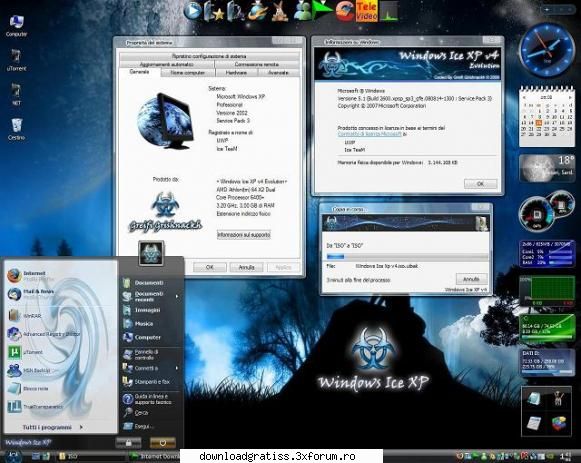
# Windows Ice XP v4 Basic Edition # Windows Ice XP v4 Basic Edition (SATA Drivers) # Windows Ice XP v4 Evolution # Windows Ice XP v4 Evolution (SATA Drivers) # Windows Ice XP v4 Live Edition # Windows Emergency Recovery Console Ice XP # Hiren's BootCD v9.6 All-In-One bootable Utility
Installation:
As I've already said, the whole process will be Unattended, which means you wont have to do anything after you've hit the installation button. Once it's all done, the only thing you have to do is type in the main user account name, and then choose what software to install (if theres any you want) from the Ice Post-Install interface.
Windows Ice Xp v4 Evolution can otherwise be installed as an upgrade (if the OS you are attempting to upgrade is compatible), so you wont need to boot from DVD. In case no error message pops up, you are good to go and your system will be upgraded to Windows Ice v4. It might ask for a key, so just check the !CRACKS! folder, you'll find one.
Installation ost-Install Wizard:
Available with all of the OS installations, with about 100 softwares to choose from. It will run automatically once the Windows installation is done, but you can always run it from DVD anytime, so dont worry if you forget something.
These are the softwares available within the Post-Install:
Multimedia
# Nero Ultra v8.3.6.0 (Cracked) # Nero Lite v8.3.6.0 (Cracked) # Nero Micro v8.3.6.0 (Cracked) # BSPlayer v1.37.826 # CDBurnerXP v4.2.3 # Codecs Pack All-In-1 v6.0.30 (ENG) # Daemon Tools v4.30.03 Lite # DVD Shrink v3.2.0.15 # DVD Region CSS Free v5.9.8.5 (Cracked) # K-Lite Codec Pack v4.25 (Full) # Slysoft CloneCD v5.3.1.3 # SlySoft CloneDVD v2.9.1.9 # Slysoft CloneDVDMobile v1.2.0.1 # QuickTime Alternative v2.70 # Real Player Alternative v1.90 # Media Player Classic v6.4.9.1 # UltraISO Premium Edition v9.3.0.2612 # VLC Video Player v0.9.4 # XP Codec Pack v2.4.3
# UWP FastCopy v1.0 # UWP LiveStream Windows v1.41 # UWP Roller v1.0 # UWP Trasparency Kit v1.32 # UWP Tray Tool Final v1.0 # UWP No Extension v1.0 # Wallpapers collection # Screensavers Collection # DirectX for Windows XP # Optimize Logonui for Widescreen monitors
Ram registry tweaks
# Optimize the RAM (pc's that have at least 128 Mb) # Optimize the RAM (pc's that have at least 256 Mb) # Optimize the RAM (pc's that have at least 512 Mb or more)
CPU registry tweaks
# Optimize Cache L2 (00. for processors with Cache L2 = 64 kb) # Optimize Cache L2 (01. for processorc with Cache L2 = 128 kb) # Optimize Cache L2 (02. for processors with Cache L2 = 256 kb) # Optimize Cache L2 (03. for processors with Cache L2 = 512 kb) # Optimize Cache L2 (04. for processors with Cache L2 = 1 Mb) # Optimize Cache L2 (05. for processors with Cache L2 = 2 Mb) # Optimize Cache L2 (06. for processors with Cache L2 = 4 Mb) # Optimize Cache L2 (07. for processors with Cache L2 = 6 Mb) # Optimize Cache L2 (08. for processors with Cache L2 = 8 Mb)
Other registry tweaks
# Optimize File System NTFS # Optimize Internet Connection